Use Kepler with ChatGPT (MCP)
Kepler, the AI recruitment CRM for agencies, has an MCP server. Add it to ChatGPT or Codex to search candidates and update records.
Kepler works with ChatGPT. Kepler is an AI recruitment CRM for agencies, and it runs a hosted MCP server, so ChatGPT can search your candidates and update your records with the permissions you grant. Codex can use the same connection.
Does Kepler work with ChatGPT?
Yes. AI client access is on for paid Kepler workspaces. On a trial, email support@keplercrm.com to have it turned on.
What can ChatGPT do in Kepler?
With read access, ChatGPT can search candidates in plain English across profiles, CVs, notes and call summaries. It can also look up jobs, companies, contacts and applications, count and break down records, read activity history, check your task list, and read the match results already stored for a job.
With write access, ChatGPT can create candidates, contacts, companies and jobs, update fields, add notes, create and update tasks, move candidates between pipeline stages, record outcomes, and add people to lists.
What do I need before I connect?
- AI client access on your Kepler workspace. Administrators see an AI clients tab under Settings → Developers once it is on. If the tab is missing, or the Kepler sign-in says none of your workspaces has AI client access turned on, email support@keplercrm.com.
- A ChatGPT account that can add custom MCP servers. On ChatGPT Business, only workspace admins and owners can. On Enterprise and Edu, admins can also let members do it. If you don't see Add custom MCP server in the steps below, ask your ChatGPT admin to add Kepler for your team. OpenAI's guide is Connecting custom MCP servers in ChatGPT.
How do I connect ChatGPT to Kepler?
These steps are for ChatGPT on the web. You don't need to turn on developer mode.
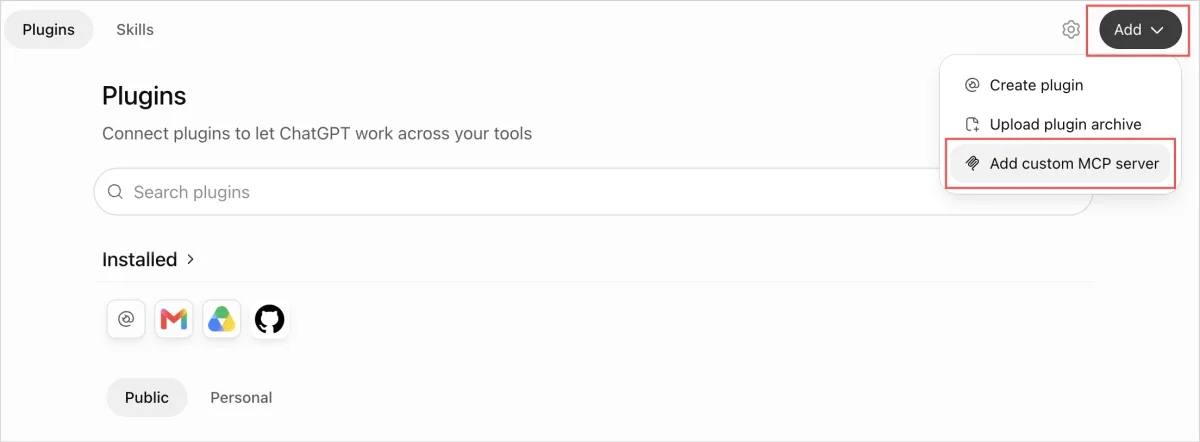
- Open Plugins in the ChatGPT sidebar, or go to chatgpt.com/plugins. Select Add, then Add custom MCP server.
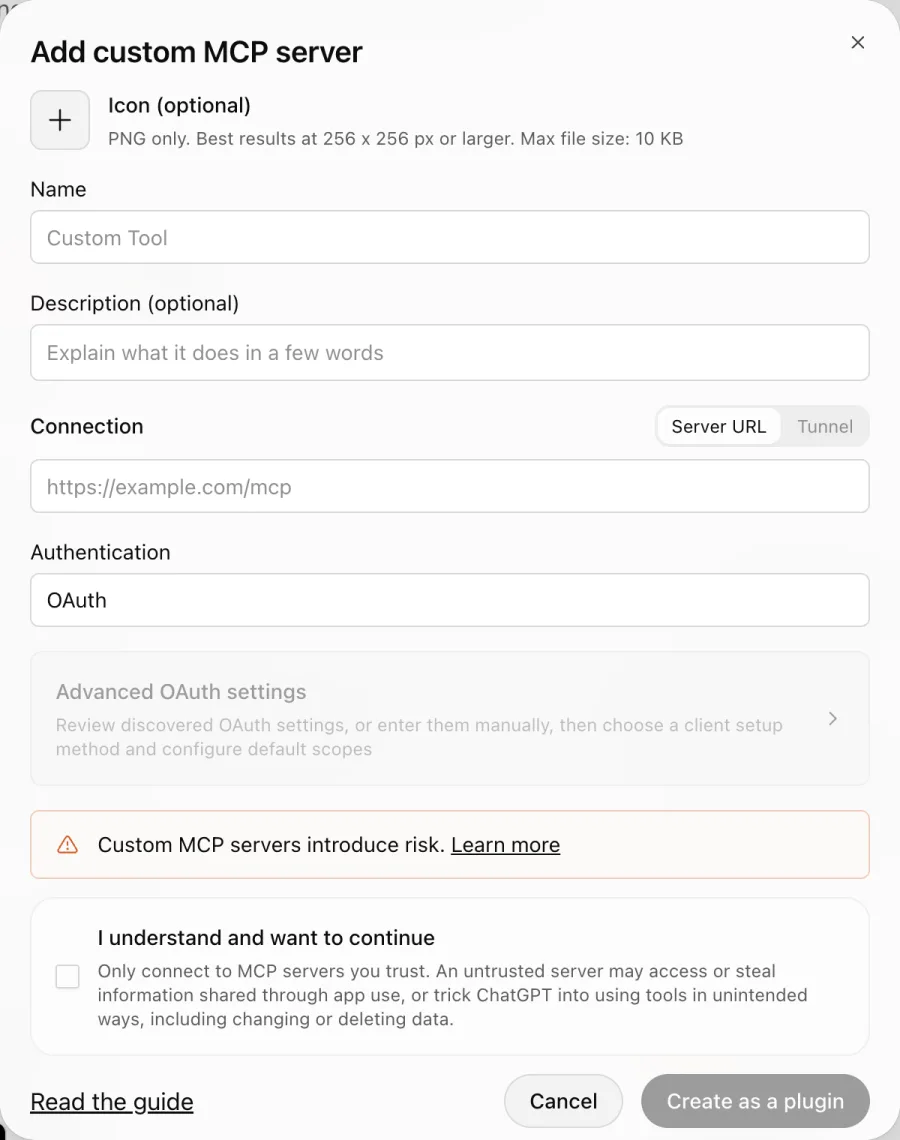
- Fill in the form with the values below, tick I understand and want to continue, then select Create as a plugin.
| Field | Value |
|---|---|
| Name | Kepler CRM |
| Description (optional) | Candidates, jobs and pipeline in Kepler |
| Connection | Keep Server URL selected and enter https://app.keplercrm.com/api/mcp |
| Authentication | OAuth. Leave Advanced OAuth settings as they are; Kepler fills them in. |
- Select Connect. Sign in to Kepler, choose the workspace and the permissions you want ChatGPT to have, then approve.
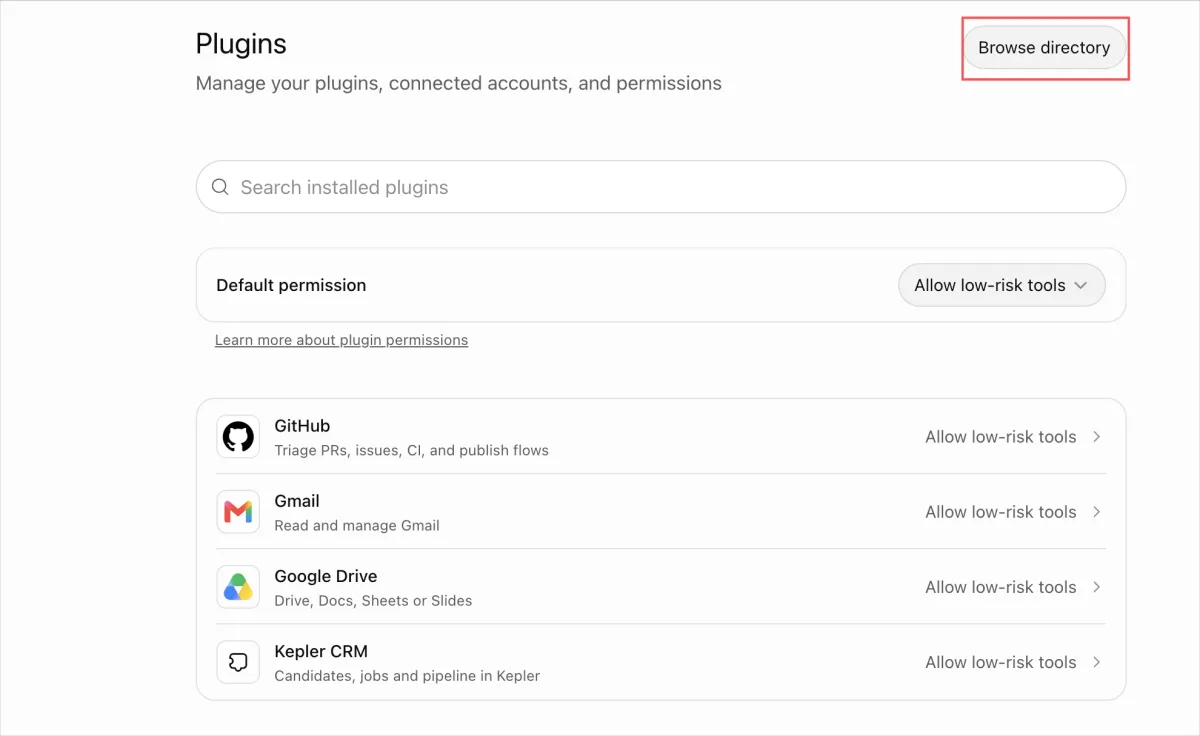
- Kepler CRM now appears in Settings → Plugins.
To check the connection, start a new chat, type @Kepler CRM and ask "How many open jobs do I own in Kepler?".
How do I connect the ChatGPT desktop app?
A plugin you add on the web also shows up in the desktop app, so most people can skip this. To add Kepler from the desktop app instead:
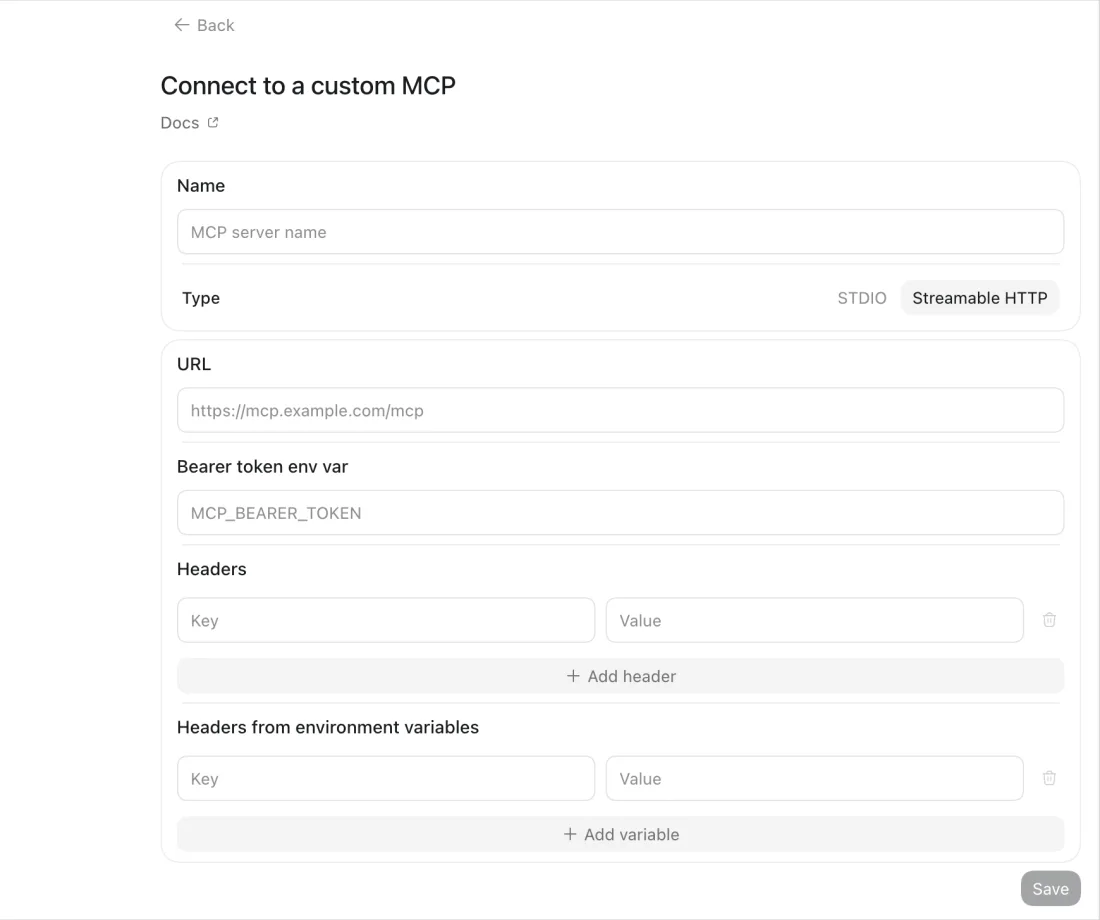
- Open Plugins, select Add, then Add MCP server.
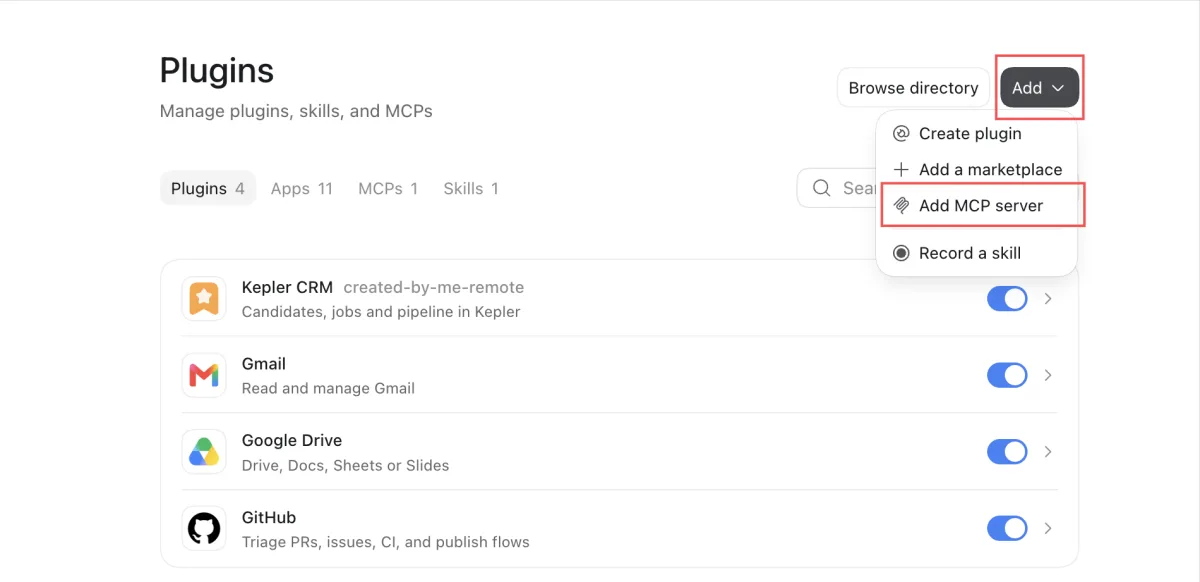
- Enter
Kepler CRMas the name and choose Streamable HTTP as the type. - Enter
https://app.keplercrm.com/api/mcpas the URL. Leave the bearer token and header fields empty. - Select Save, then sign in to Kepler when asked.
How do I connect Codex to Kepler?
codex mcp add kepler --url https://app.keplercrm.com/api/mcpSign in to Kepler when prompted, then choose the workspace and permissions.
What stays in my control?
- You choose the permissions. At sign-in you tick what ChatGPT may do: read, write records, tasks, notes, pipeline and lists. Read alone is a good place to start.
- Your Kepler role still applies. A connection can never do more than you can do in Kepler yourself.
- One workspace per connection. You pick the workspace when you approve the connection.
- No delete tools. An AI client connected through MCP cannot delete records.
- No silent overwrites. If a colleague changed a record after ChatGPT read it, Kepler refuses the update and ChatGPT has to read the record again.
- Every call is logged, and you can revoke access. Revoke a connection in Settings → Developers → AI clients, or your own under AI clients on Settings → Connected accounts, and the next call fails.
ChatGPT can also ask you to confirm before it writes, depending on the app permissions set in ChatGPT.
Does Kepler work with Claude too?
Yes. The same MCP server works with Claude on the web and desktop and with Claude Code. See Use Kepler with Claude (MCP).
Kepler also has its own built-in Assistant, which searches your CVs, notes, emails and call transcripts in plain English. It is included in your Kepler plan, monthly or annual, with no add-on or upgrade needed.